4.3 Stripe Payment
What is Stripe?
Stripe is a global online payment processing platform that allows your investors to purchase tokenized real estate assets using traditional payment methods such as credit cards, debit cards, and bank transfers.
Stripe Pricing: for full and up-to-date pricing, refer to the official Stripe pricing page: https://stripe.com/pricing.
How to Add Stripe as a Payment Method.
Follow the steps below to connect your Stripe account to the Tokenizer.Estate admin panel.
Step 1: Create a Stripe Account & Enable Live Mode
If you don't have a Stripe account yet:
1.Go to https://stripe.com and click "Start now" or "Create account".
2.Fill in your email, full name, and create a password.
3.Complete identity verification and business details as prompted by Stripe.
4.Once active, toggle the switch in the top-right of the Stripe Dashboard from "Test
mode" to "Live mode". Required to process real payments.
5.In Live mode, go to Developers > API Keys and copy your live Secret Key
(sk_live_...) and Webhook Secret (whsec_...). You will need these in Step 3.
Step 2: Open Payment Methods in the Admin Panel
1.Log in to your Tokenizer.Estate admin panel.
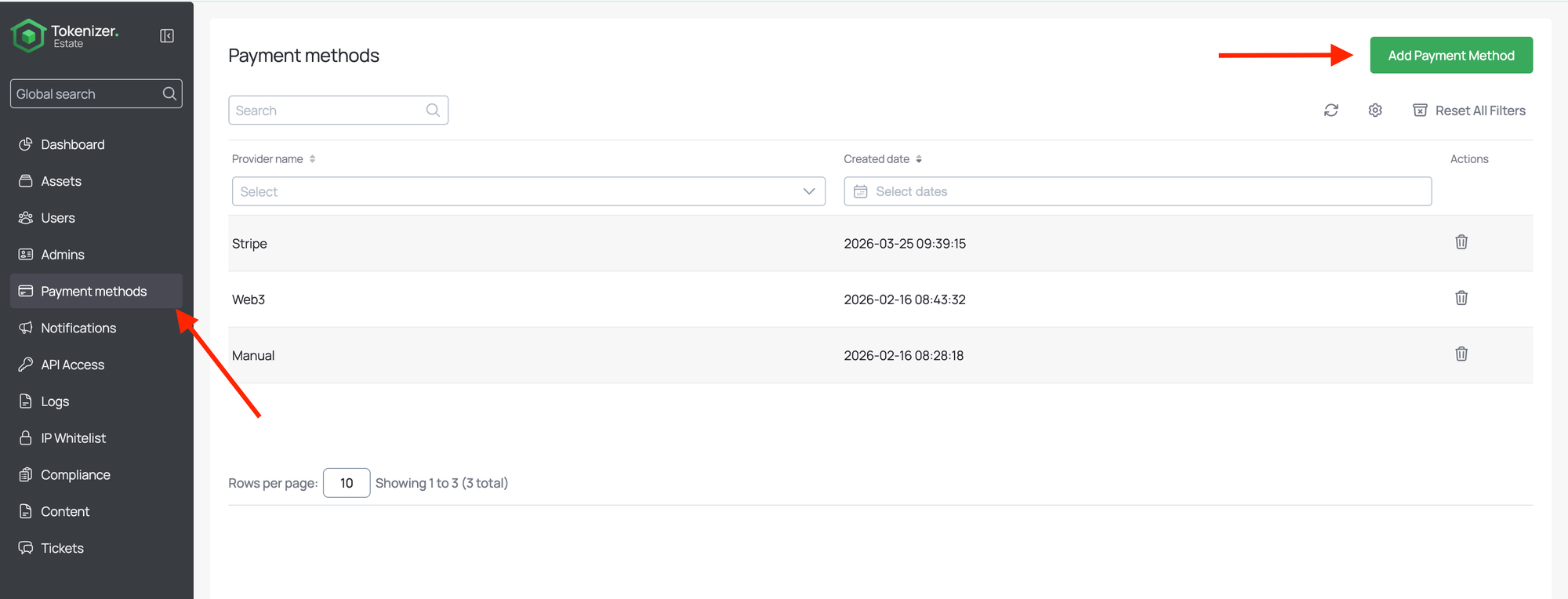
2.In the left-hand navigation menu, click on "Payment methods".
3.In the top-right corner, click the "Add Payment Method" button (highlighted in
green).
Step 3: Enter Your Stripe Credentials
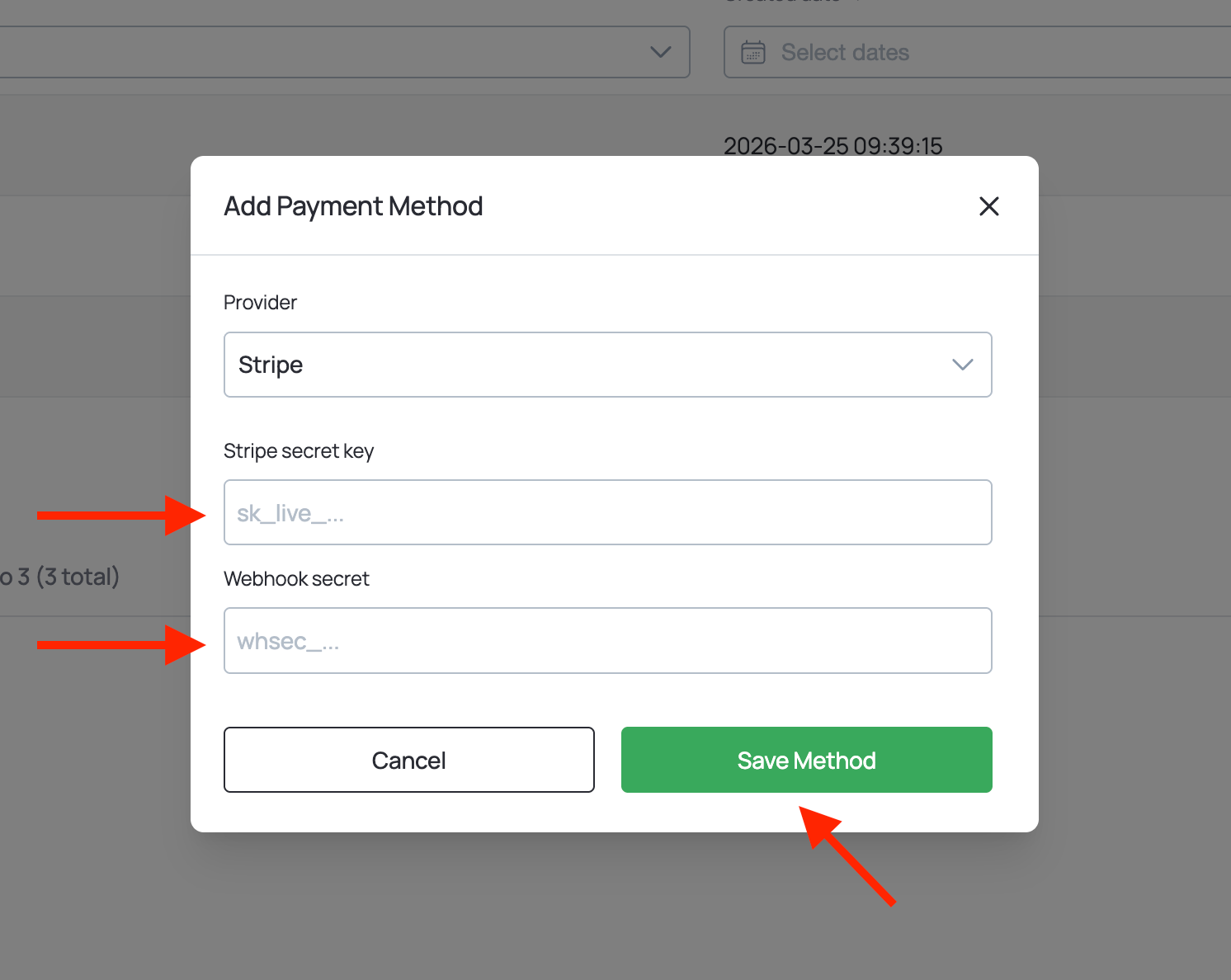
A modal window will appear as shown below:
1. In the "Provider" dropdown, select Stripe.
2. Paste your live Secret Key (sk_live_...) into the "Stripe secret key" field.
3. Paste your live Webhook Secret (whsec_...) into the "Webhook secret" field.
4. Click "Save Method" to confirm.